Choosing lighting for a small desk
Desk light or monitor light, which one?
If you have a small desk, choose based on where you can fix it and where it will illuminate, rather than based on popularity. Monitor light only in front of the screen. If you want to move notebooks and books to illuminate them, use the clamp type.
This article contains advertising links to Amazon. The operator may receive a referral fee for purchases made through links. Please check the product page for price, stock availability, and compatible dimensions at the time of purchase.
Conclusion first: choose based on fixed location, not based on area
- Mainly monitor work:monitor light. Does not use desk surface.
- Illuminates paper, books, and crafts:Clamp type desk light. You can move the position of the light.
- No fixed location:Stand-alone type. Choose it only if you can secure the area for the pedestal.
01|Check if it can be installed
Measure 4 points on your desk and monitor before purchasing.
Check the thickness, steps on the back, curvature, and interference with the web camera.
Check the thickness, the back beam, and the gap with the wall. The clamp must fit flat.
Decide whether you want just the keyboard or spread out A4 notebooks and books to the left and right.
important:A fixing part is necessary even if it is a "space-saving" product. Monitor lights cannot be used if they do not fit the top of the monitor, and clamp types cannot be used unless they fit the edge of the top plate.
02|Make it compatible with the purpose
Choosing between desk lights and monitor lights
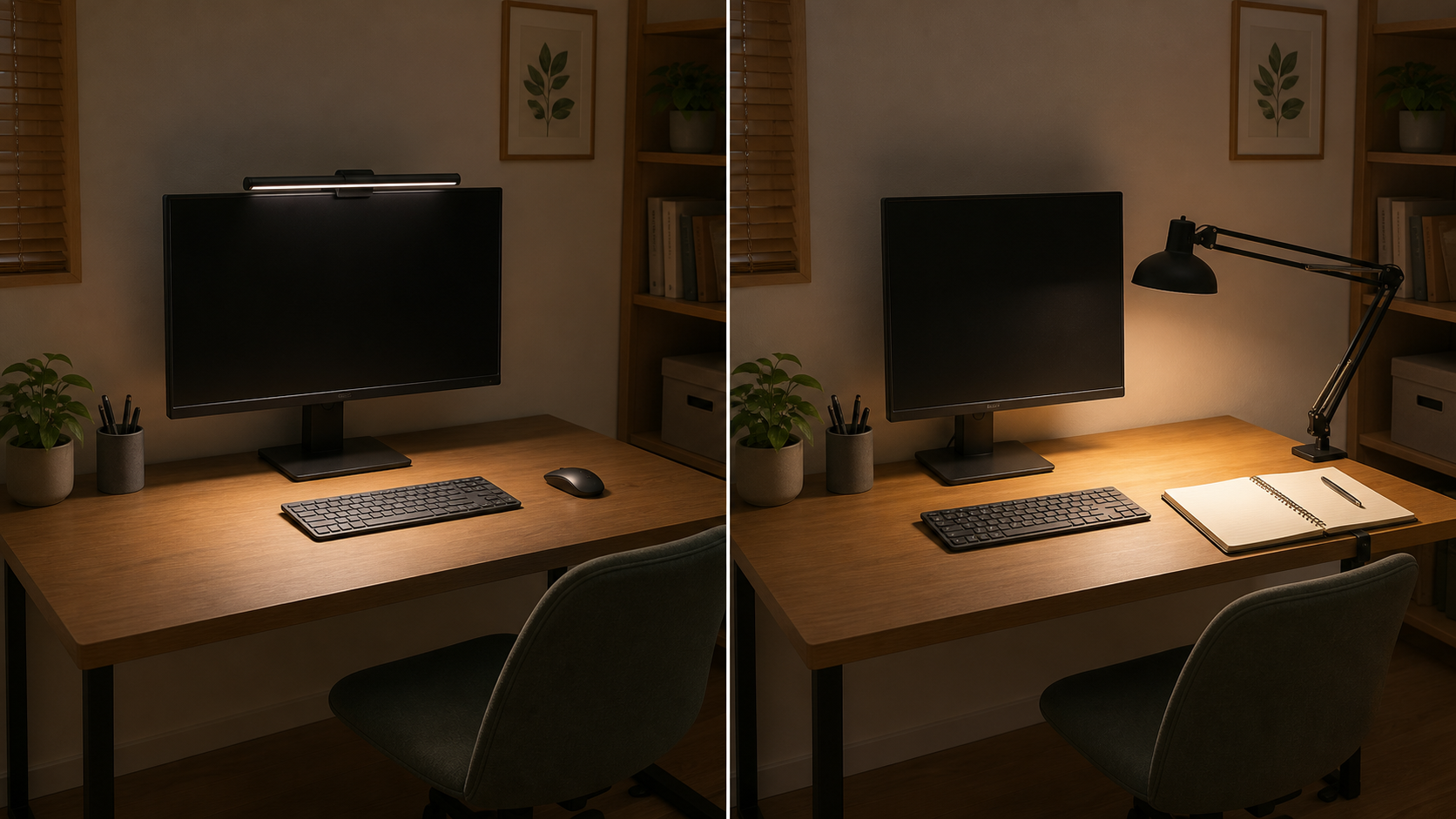
People who are suitable for monitor lights
People who use a keyboard or small notes in front of an external monitor and don't want to put a pedestal on the desk. The position of the light is fixed at the top of the screen, so it is not suitable for tasks where you need to move the light widely from side to side.
People who are suitable for clamp-type desk lights
A person who changes the position of light on notebooks, books, documents, workpieces, etc. A pedestal is not required, but the condition is that the end of the top plate can be clamped and that there is space to move the arm.
This is an image of using the same desk. This is not a comparison showing the illuminance or performance of specific products.
People who are suitable for free-standing desk lights
People who can't fix it to the monitor or the top board and can leave space for a pedestal. Although it is not the first choice if you have a small desk, it has the advantage of being easy to relocate.
03|Search for products
Decide on a method and then look at candidates
| method | purpose | Confirmation before purchase | See suggestions |
|---|---|---|---|
| monitor light | Illuminate the front of the screen and free up desk space | Monitor thickness, curvature, camera interference, power supply method | BenQ ScreenBar Halo Monitor Light →Amazon.com result: $229.99 USDChecked August 13, 2026. Price and availability can change. Confirm price and availability on Amazon.com before buying. |
| Clamp type | Illuminate a wide area of paper and change the position | Top plate thickness, back beam, gap with wall, arm movement range | TORCHSTAR Swing-Arm Clamp Desk Lamp →Amazon.com result: $18.99 USDChecked August 13, 2026. Price and availability can change. Confirm price and availability on Amazon.com before buying. |
| Freestanding type | Move without fixing | Pedestal dimensions, resistance to falling, cord position | Lepro LED Desk Lamp →Amazon.com result: $21.98 USDChecked August 13, 2026. Price and availability can change. Confirm price and availability on Amazon.com before buying. |
Installation/method confirmation:BenQ “Difference between monitor light and desk light”、BenQ “How to choose the right monitor light for your desk”、Panasonic residential lighting equipment catalog(Verified August 12, 2026). Please do not generalize manufacturer-specific instructions to other companies' products, and check the compatible dimensions of each product before purchasing.
04|Conditions for sending off
Don't buy it unless the lighting fixture is the cause of the darkness.
If the lights in the entire room are off, the screen brightness does not match the surroundings, or if you can illuminate the required area by simply changing the direction of the existing lights, first adjust the current environment. Adding lighting equipment alone cannot guarantee improvement in eye strain.
For narrow desks, choose from two options:
If you want to illuminate just in front of the screen, use a monitor light, and if you want to move it to illuminate the page, use a clamp type. If neither of these options meet the fixed conditions, I will consider a free-standing type for the first time.